 Aurora Dash
The dashboard your car
should have come with.
像原廠內建的
車用儀表板
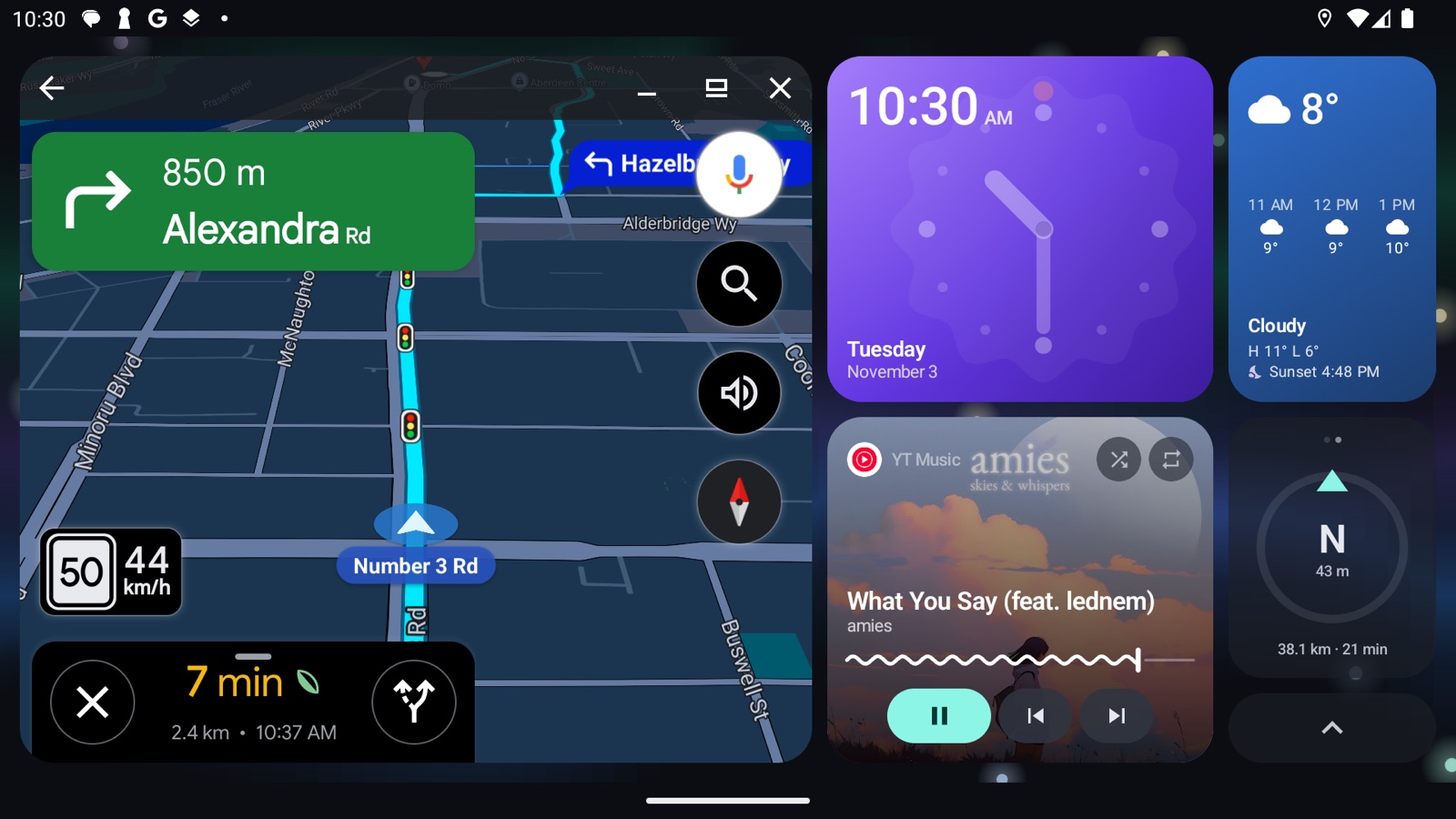
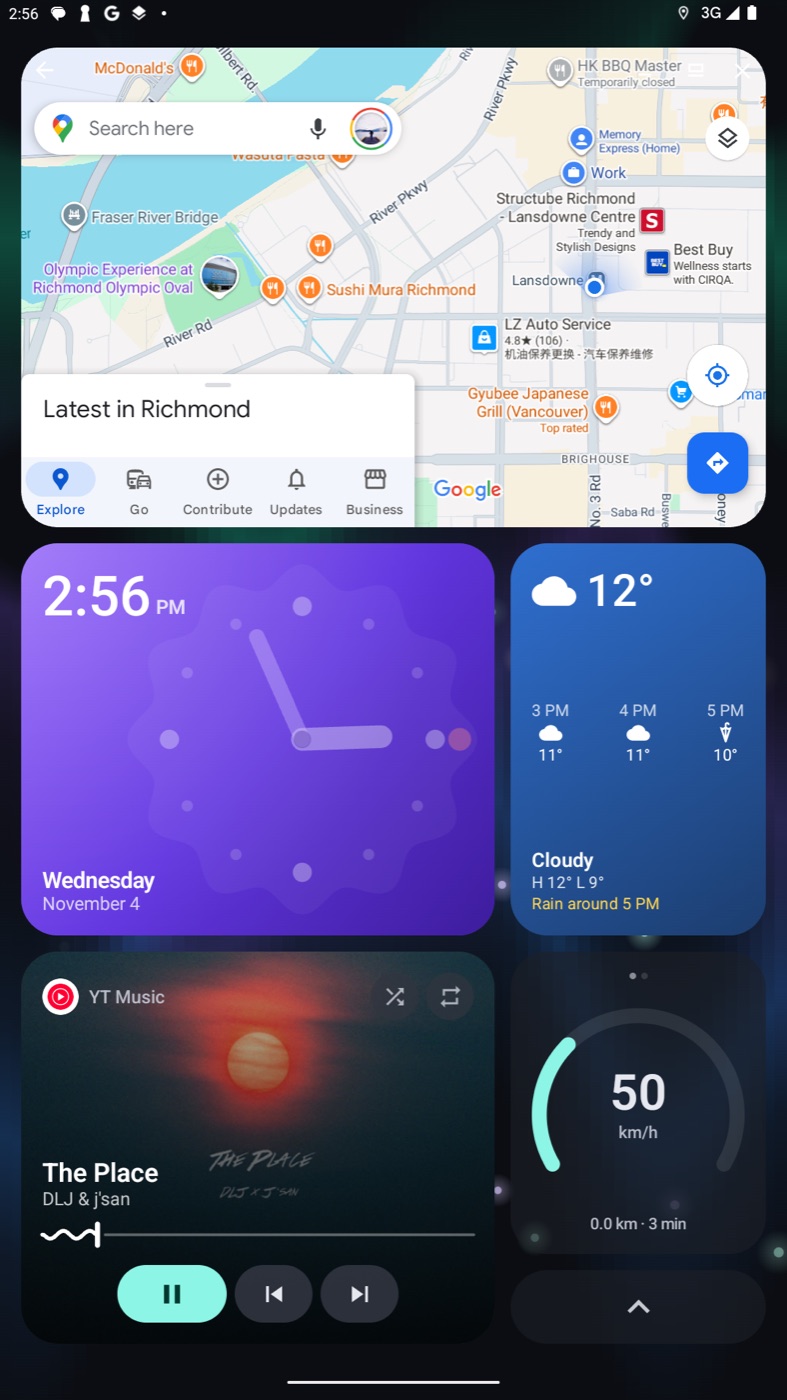
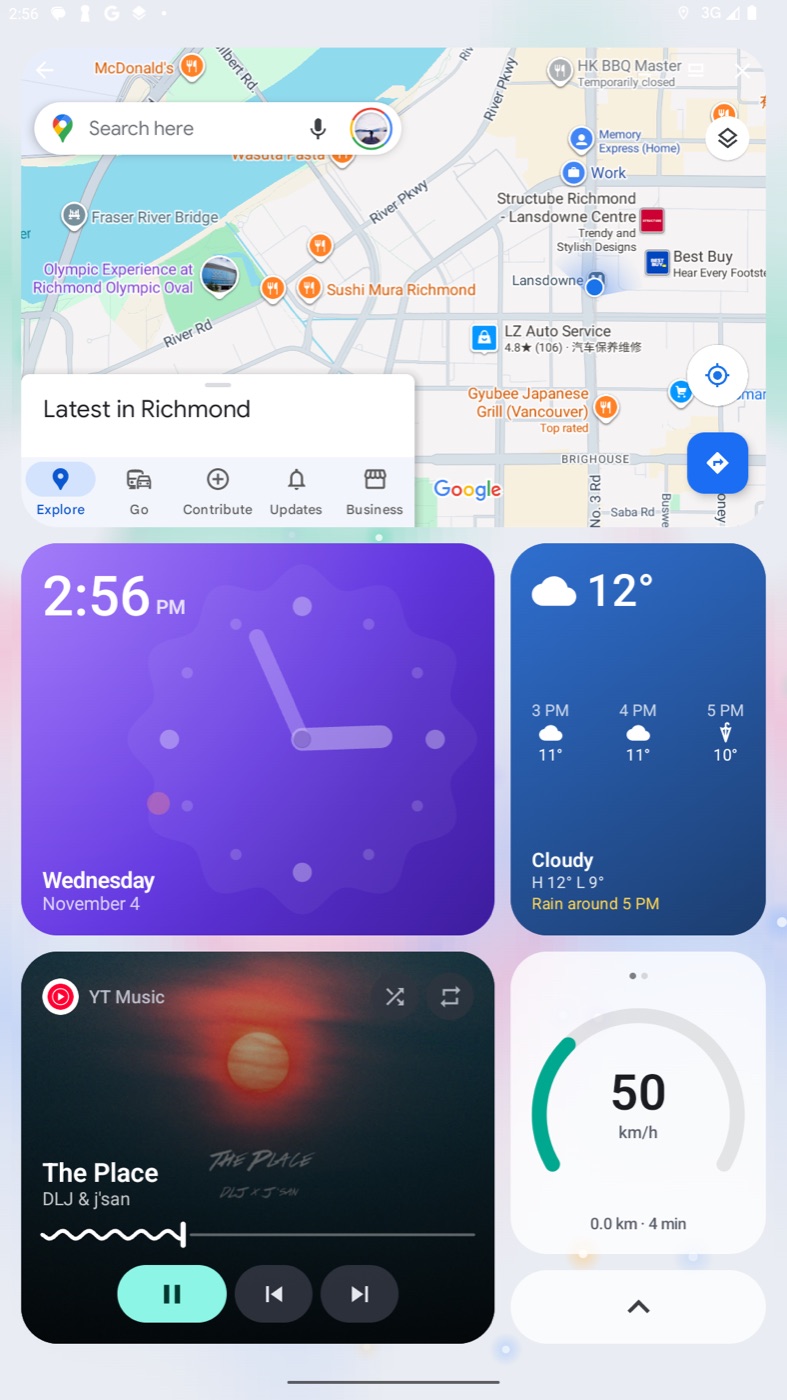
Aurora Dash turns your Android head unit or CarPlay AI box into one calm, full-screen dashboard: live map, music, weather and speed, all at a glance. Aurora Dash 讓 Android 車機或 CarPlay AI 盒子變成清爽的全螢幕儀表板:即時地圖、音樂、天氣與車速,一眼看清。
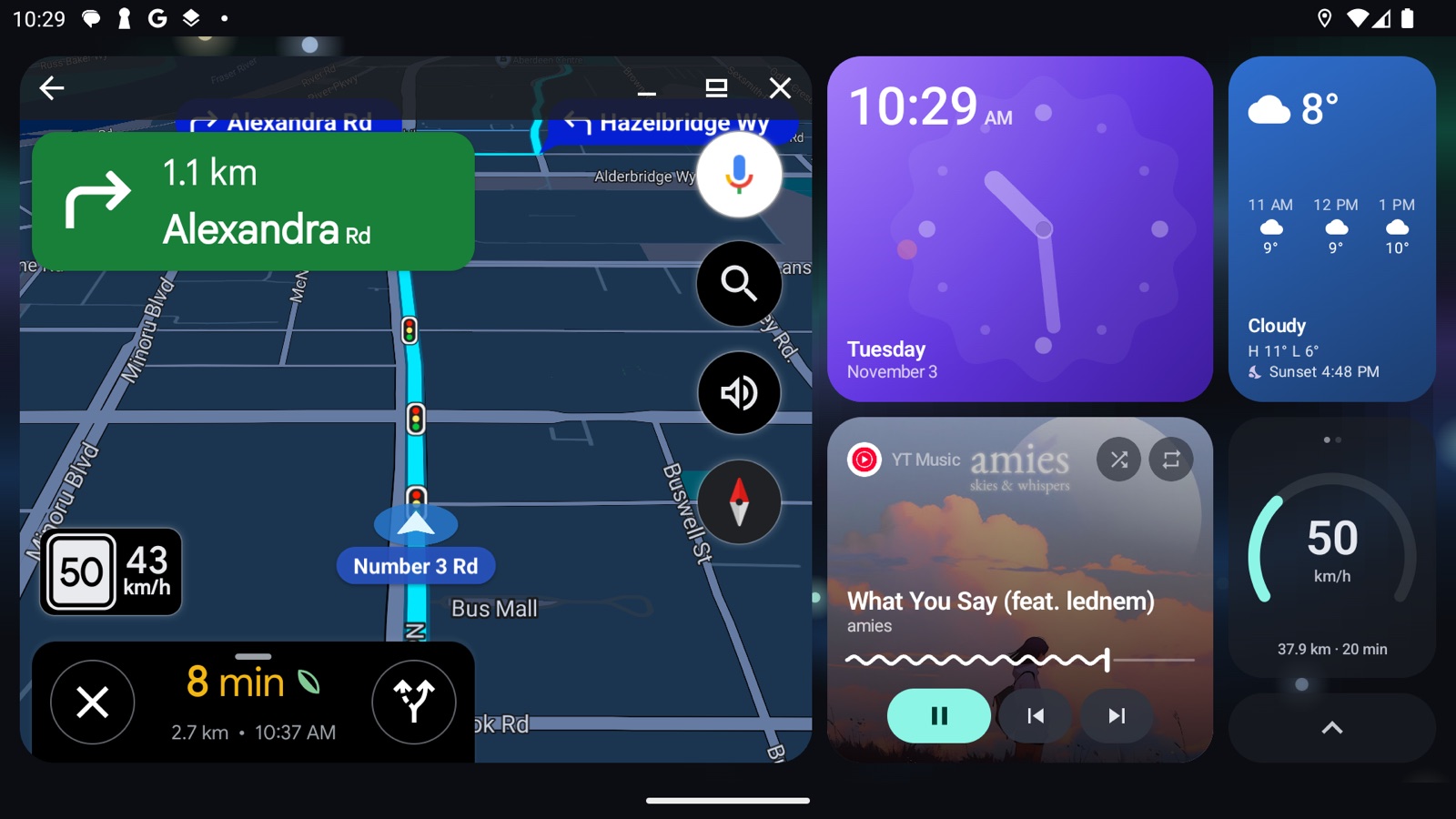
Less clutter. More road.少一點雜亂,多一點專注。
Most car launchers feel like a phone home screen stuck in a dashboard. Aurora Dash goes the other way.多數車機桌面像是把手機主畫面塞進車裡。Aurora Dash 反其道而行。
Minimalist, OEM-like極簡原廠質感
Calm, glanceable tiles that look at home in any interior. No widgets to fiddle with, no ads, no account.一眼看懂的方塊,融入任何車內風格。沒有小工具要調、沒有廣告、不用註冊帳號。
True full screen真正全螢幕
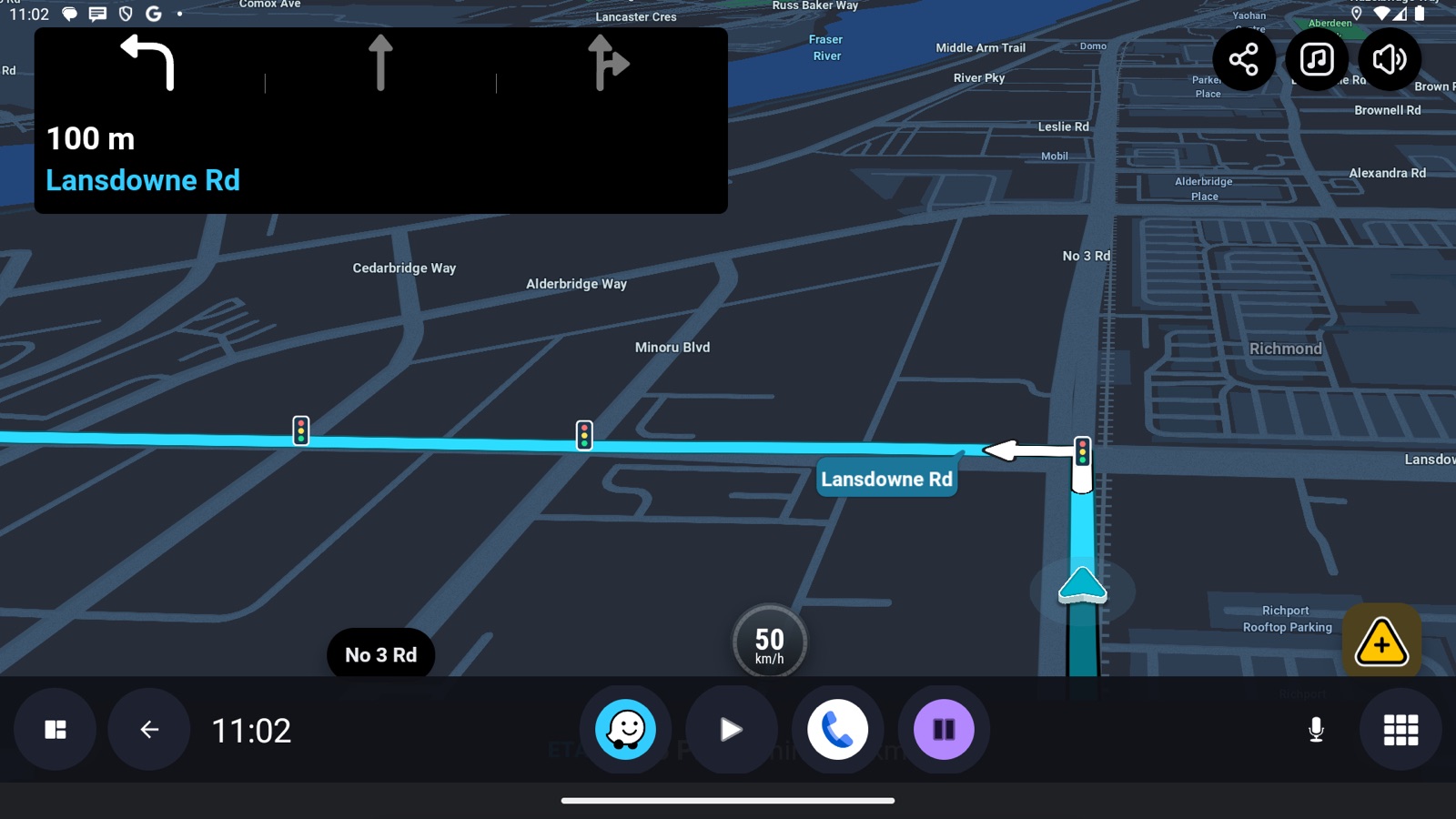
The dashboard fills the whole display like a built-in system, and the map goes edge to edge with one tap.儀表板像內建系統一樣佔滿螢幕,輕觸一下地圖就能全螢幕顯示。
Featherlight輕巧不卡頓
About 3 MB, starts instantly and sips memory. Made for the modest hardware inside car boxes.約 3 MB,開啟即用、記憶體用量極低,專為車機的有限硬體打造。
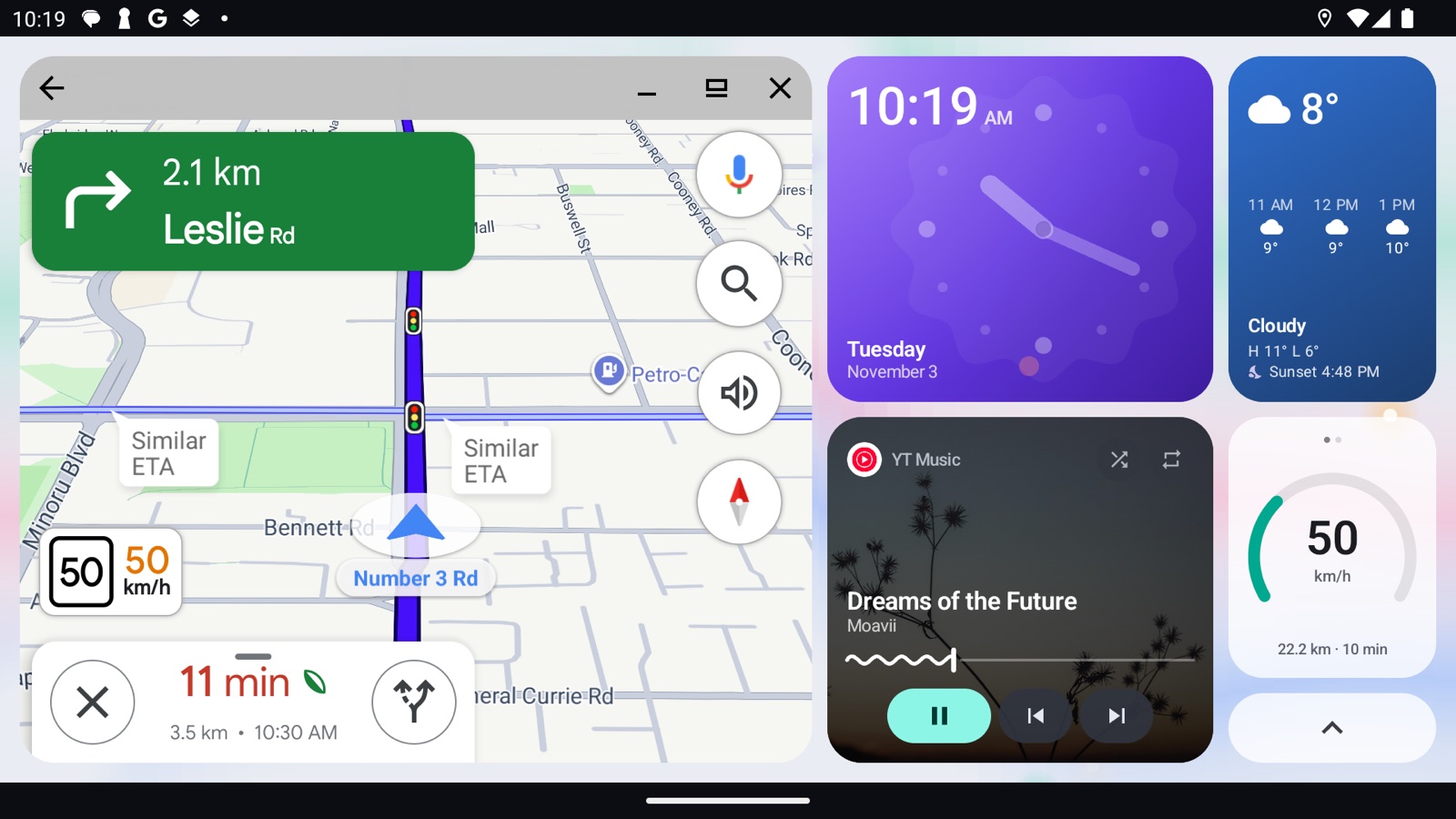
Your map, right on the dashboard.地圖就在儀表板上。
- Waze, Google Maps and more run live inside the map tile, next to everything else.Waze、Google 地圖等直接在地圖方塊裡即時運作。
- One tap for full screen. Press Home to put it back.輕觸即可全螢幕,按主畫面鍵就放回去。
- Switch navigation apps in a second. Sygic, OsmAnd, Organic Maps and Magic Earth work too.一秒切換導航 App,也支援 Sygic、OsmAnd、Organic Maps、Magic Earth。
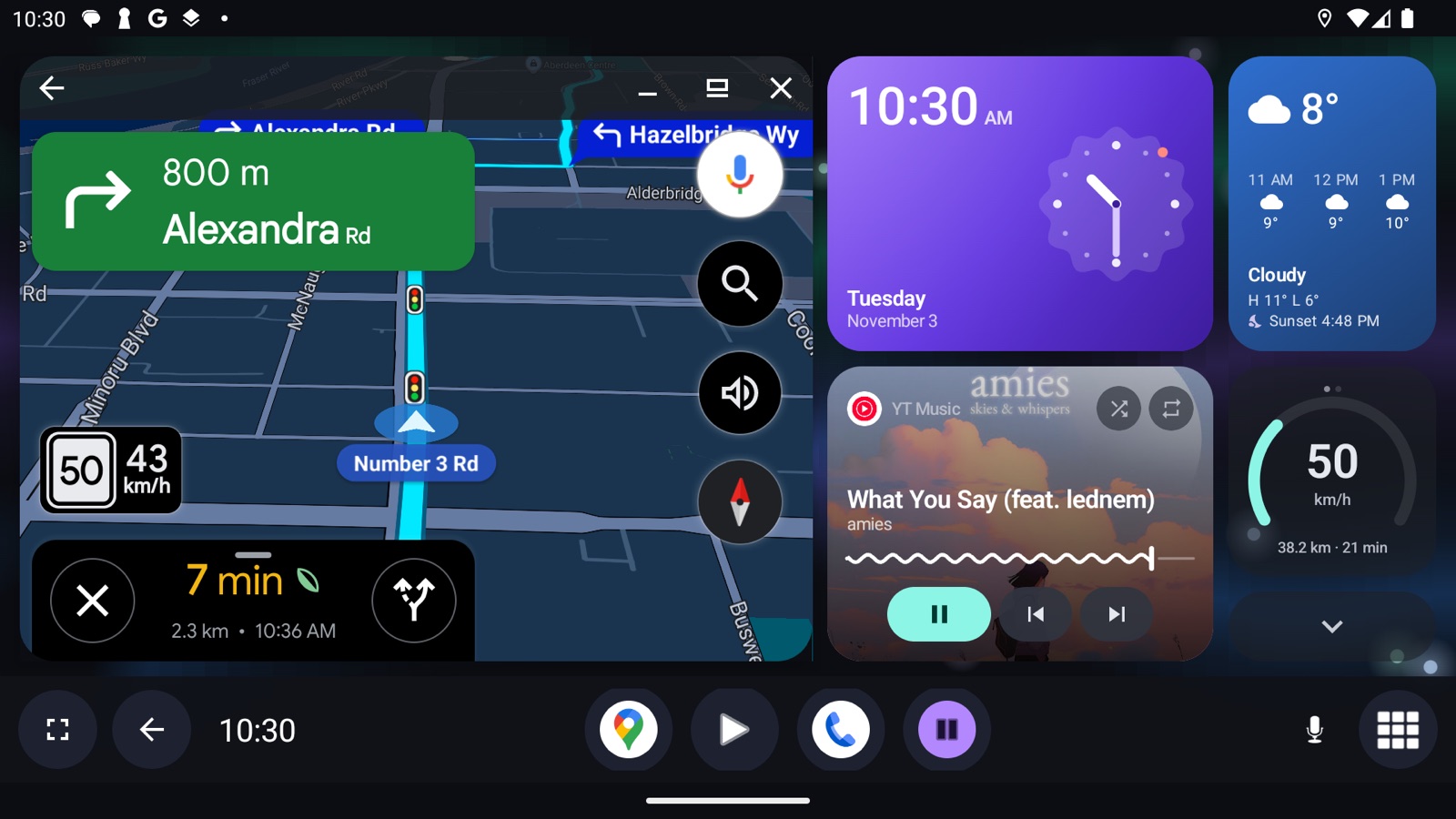
Home and Back, wherever you are.隨時都有主畫面與返回鍵。
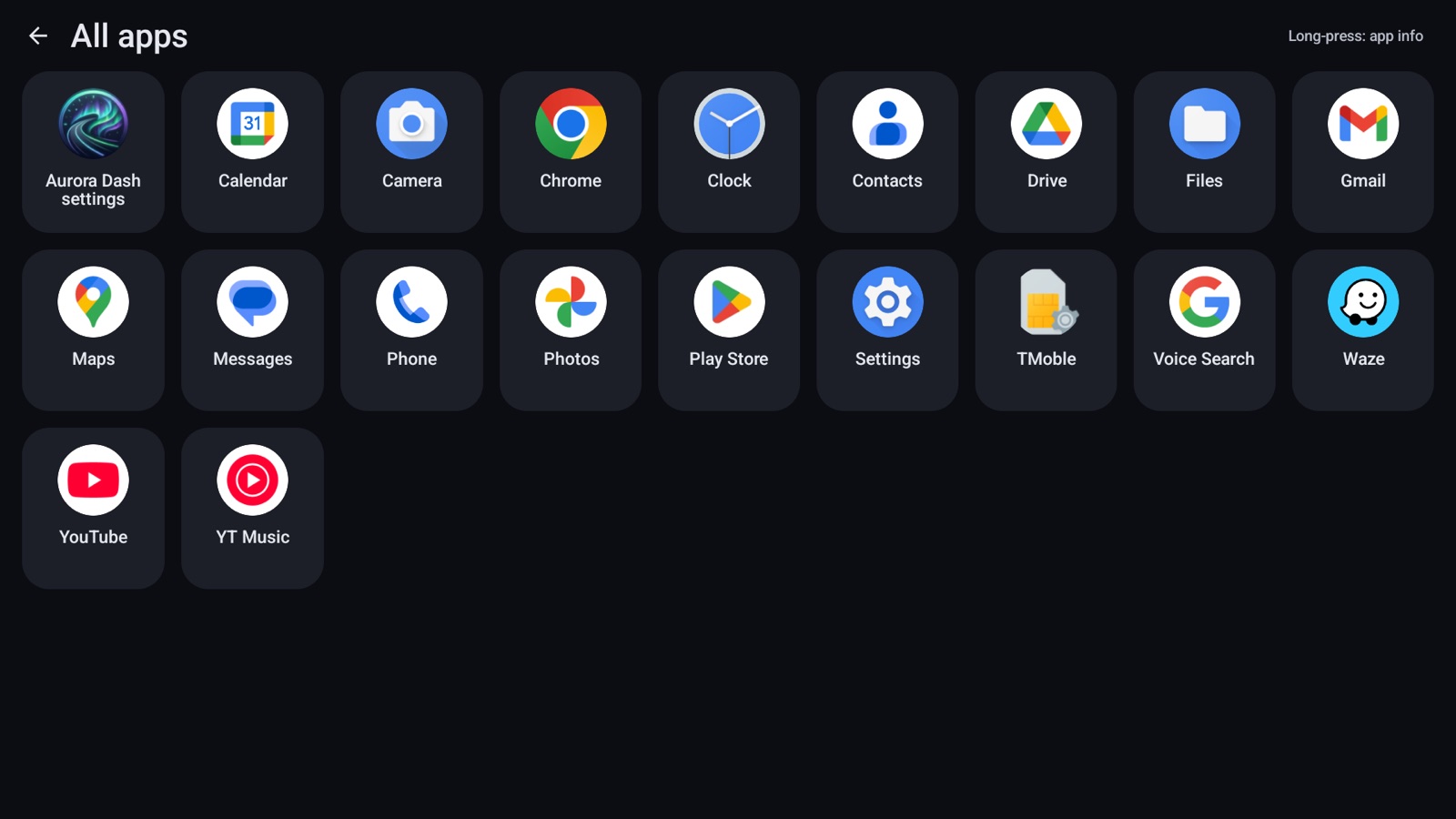
- Floats over any app with Home, Back, your map, music, phone and favourite apps.浮在任何 App 上,有主畫面、返回、地圖、音樂、電話與常用 App。
- Fades away when you're not using it.不用時自動淡出。
- Made for units without buttons. Left- or right-hand drive.沒有實體按鍵的車機也好用,支援左駕與右駕。
Everything you need while driving.開車需要的,都在這裡。
Music音樂
Album art, seek, shuffle and repeat for YouTube Music, Spotify and more. Resumes when the car starts.
專輯封面、進度、隨機與重複播放,支援 YouTube Music、Spotify 等。發動車子自動續播。
Weather天氣
Now, the next 3 hours, a heads-up when rain is coming, and sunrise or sunset.
目前天氣、未來 3 小時、下雨提醒,以及日出日落時間。
Speed or compass車速或指南針
GPS speed with a speed warning, or a compass with altitude, plus trip distance and time.
GPS 車速與超速提醒,或指南針與海拔,加上行程里程與時間。
Day and night日夜模式
Dark, light or automatic theme that follows sunrise and sunset, with night dimming.
深色、淺色或依日出日落自動切換,夜間自動調暗。
Made for every car screen.適合各種車機螢幕。
Standard, ultra-wide, large 12–14" and vertical displays.一般、超寬、12–14 吋大螢幕與直式螢幕都適用。
75 seconds. One calm screen.75 秒,看懂 Aurora Dash。
Will it run in my car?我的車能用嗎?
Works on適用
- Android head units (Android 10 or newer)
- CarPlay / Android Auto AI boxes that run Android
- Android tablets mounted in the car
- Touch screens and units without system buttons
- Android 車機(Android 10 以上)
- 執行 Android 的 CarPlay / Android Auto AI 盒子
- 安裝在車上的 Android 平板
- 觸控螢幕、沒有系統按鍵的車機
Not for不適用
- Android Auto projected from your phone (it isn't an Android Auto app)
- Apple CarPlay from an iPhone
- Head units on Android 9 or older
- 從手機投影的 Android Auto(這不是 Android Auto App)
- iPhone 的 Apple CarPlay
- Android 9 以下的車機
Questions, answered.常見問題
How do I find my Android version?怎麼查車機的 Android 版本?
On the head unit, open Settings → About (sometimes "System info" or "Device info"). Aurora Dash needs Android 10 or newer.
在車機上打開「設定 → 關於」(有些叫「系統資訊」或「裝置資訊」)。Aurora Dash 需要 Android 10 以上。
Why does the map open full screen instead of in the tile?為什麼地圖會直接全螢幕,而不是在方塊裡?
The live map in the tile uses Android's "freeform windows". Most head units have it on. On phones and some tablets, turn on Developer options → "Enable freeform windows" and restart. The app shows the steps.
方塊裡的即時地圖需要 Android 的「自由形式視窗」。多數車機已開啟;手機與部分平板請到「開發人員選項 → 啟用自由形式視窗」並重新開機。App 內有步驟說明。
Why does it ask for Accessibility and "Display over other apps"?為什麼需要「無障礙」與「顯示在其他應用程式上層」權限?
Accessibility lets the dock press Back and Home and fit the map into its tile. "Display over other apps" shows the floating dock. Aurora Dash doesn't read your screen content, and the app explains both before asking.
無障礙權限讓快捷列可以按返回與主畫面,並把地圖放進方塊;「顯示在上層」用於浮動快捷列。Aurora Dash 不會讀取螢幕內容,開啟前 App 也會先說明。
Does it collect my data?會收集我的資料嗎?
No account, no ads, no tracking. Your location is used on the device and to fetch the weather. A bug report is only sent if you tap "Send report" yourself.
不需帳號、沒有廣告、不追蹤。位置只在裝置上使用與取得天氣。只有你自己按下「傳送回報」時才會送出錯誤回報。
How much will it cost?要多少錢?
A one-time purchase on Google Play: no subscription and no in-app purchases.
在 Google Play 一次買斷,沒有訂閱、沒有內購。
Can I still become a tester?還能加入測試嗎?
The current tester spots are full. Join the Discord to hear first when new spots open or when Aurora Dash launches.
目前測試名額已滿。加入 Discord,有新名額或正式上架時會第一時間通知。
Be first in line.搶先知道上架消息
Follow development, share your setup and hear first when Aurora Dash launches.追蹤開發進度、分享你的車機畫面,第一時間知道上架消息。